Browser Extension Guide
The Google Chrome browser extension allows you to generate chapters without leaving YouTube.
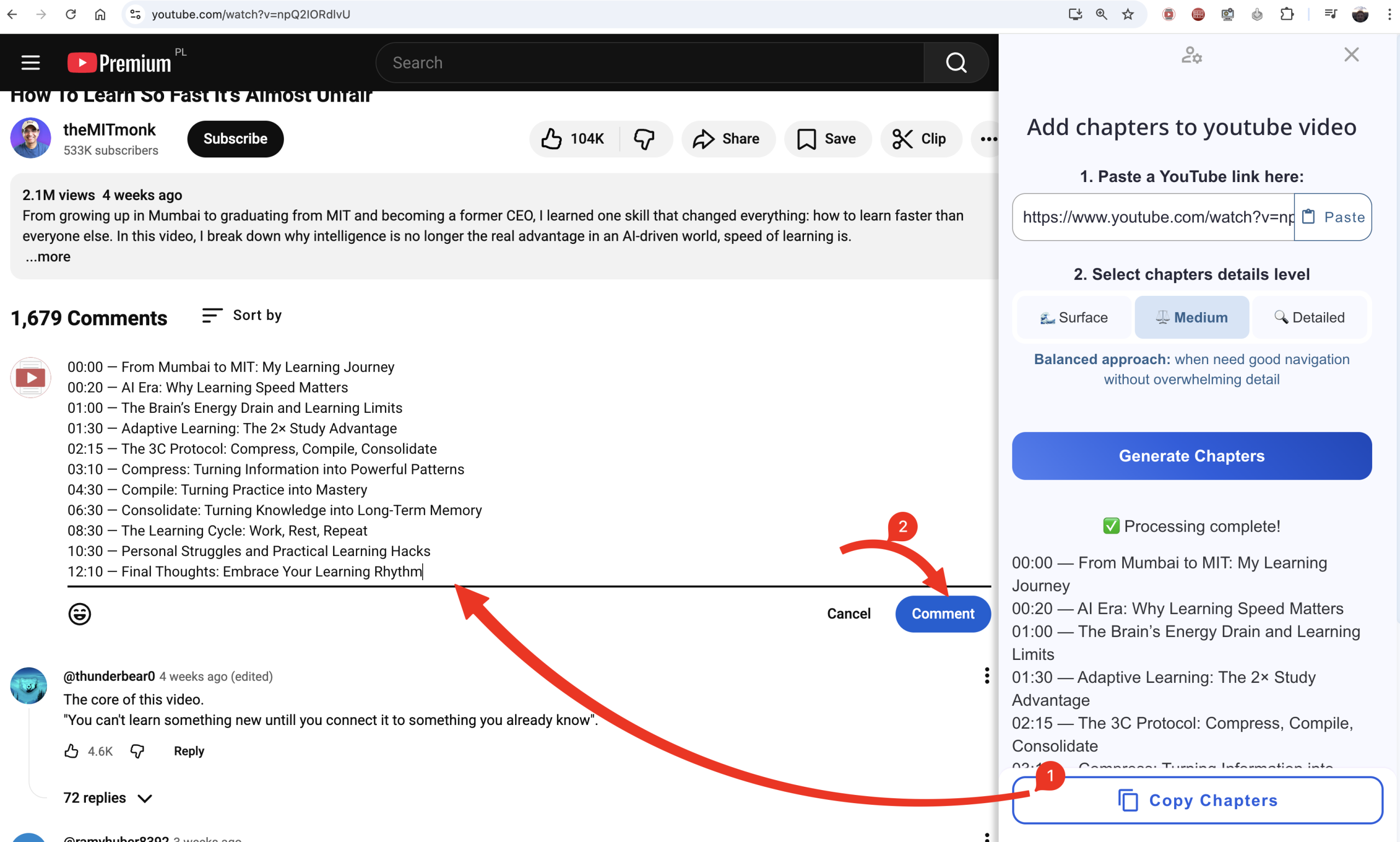
The convenience of the extension is that you don’t even need to paste a video link it automatically grabs the link from the currently opened video, and all you need to do is click the “Generate Chapters” button.
How to install:
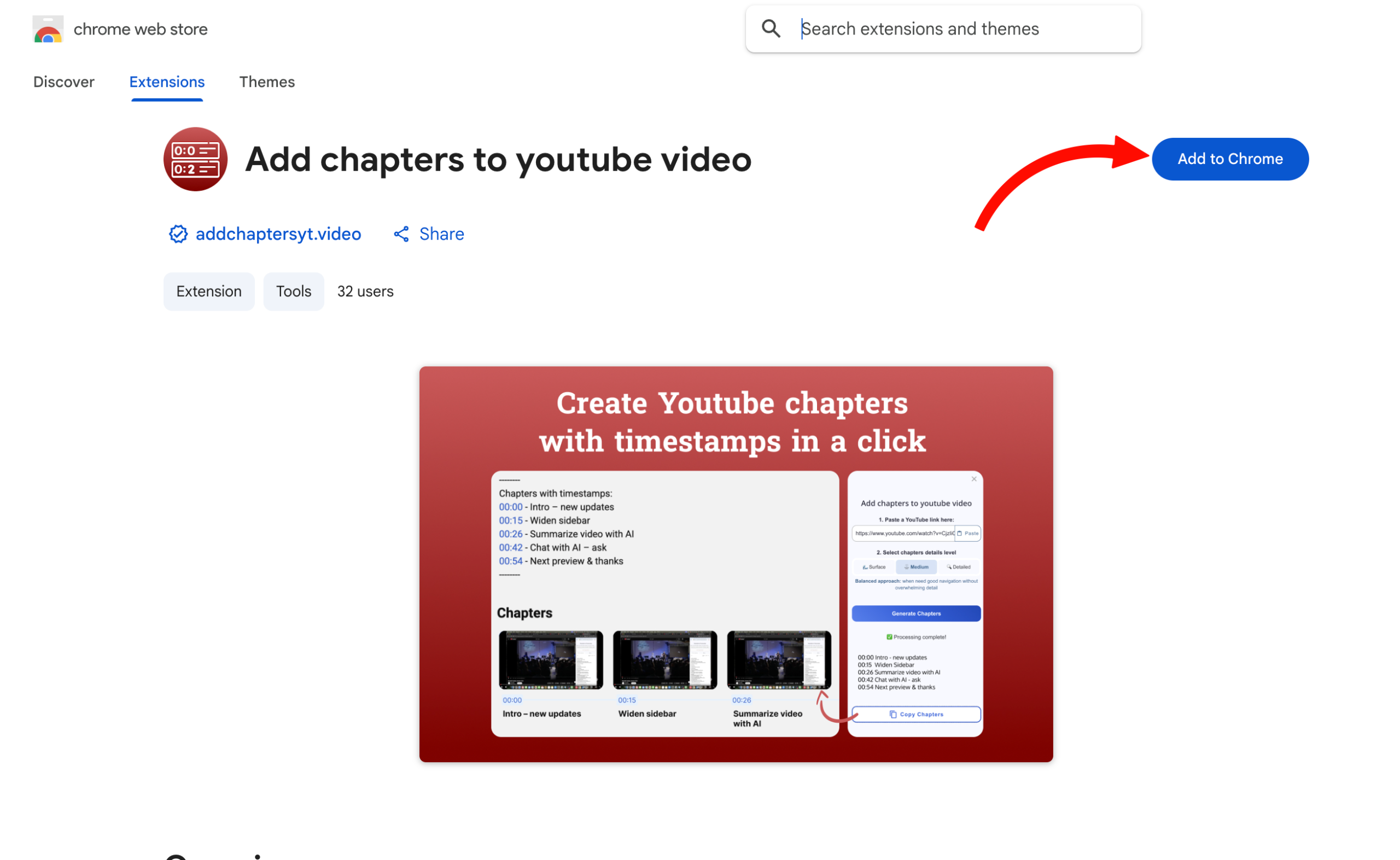
1. You can install the extension from the Chrome Web Store using this link
2. Click the “Add to Chrome” button if you are on a computer
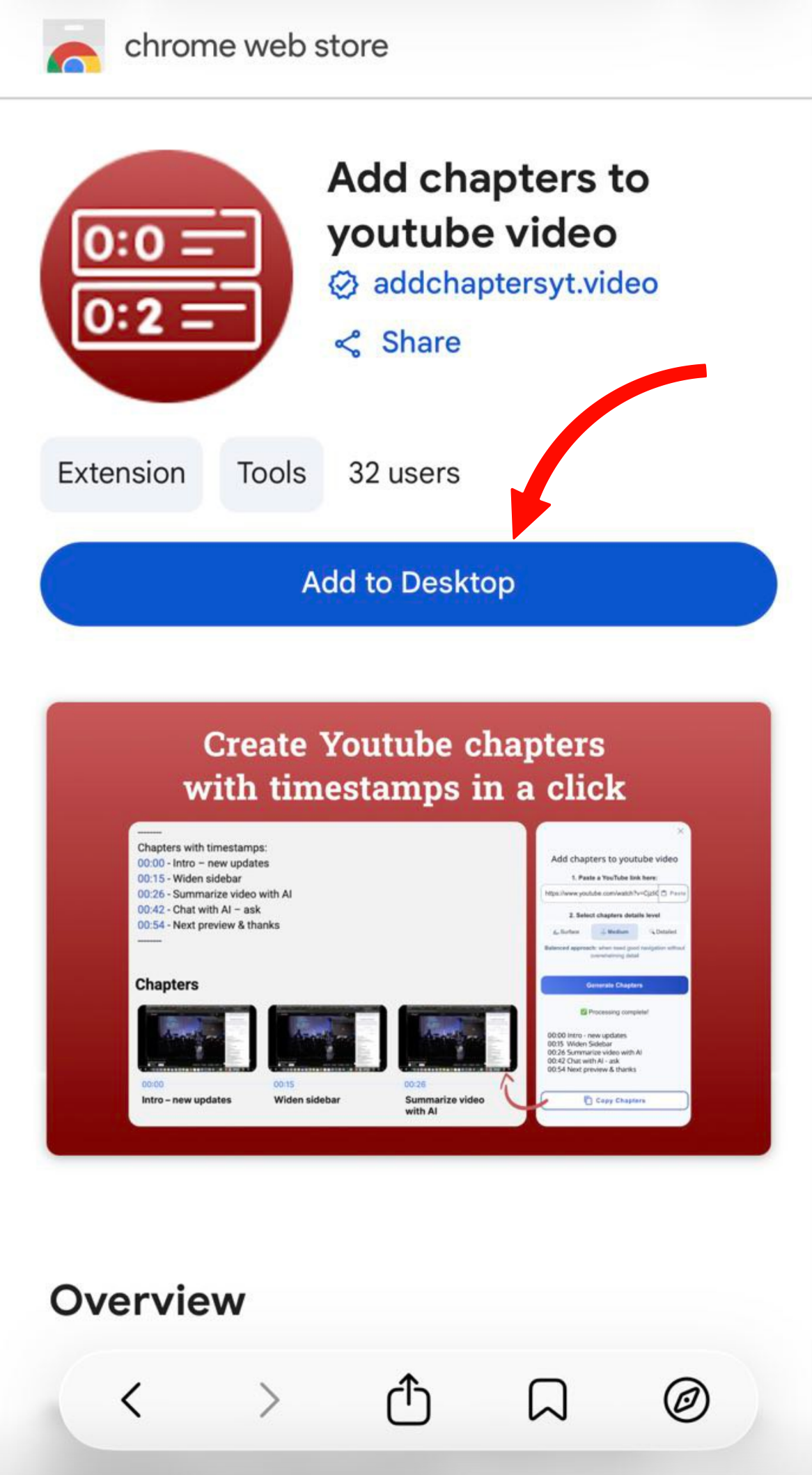
or click “Install on computer” if you opened the page on mobile, the extension will appear in your Google Chrome browser (the one where you use the same Google account as on your phone).
After installation, refresh the YouTube video page so the extension can start working correctly in your browser.